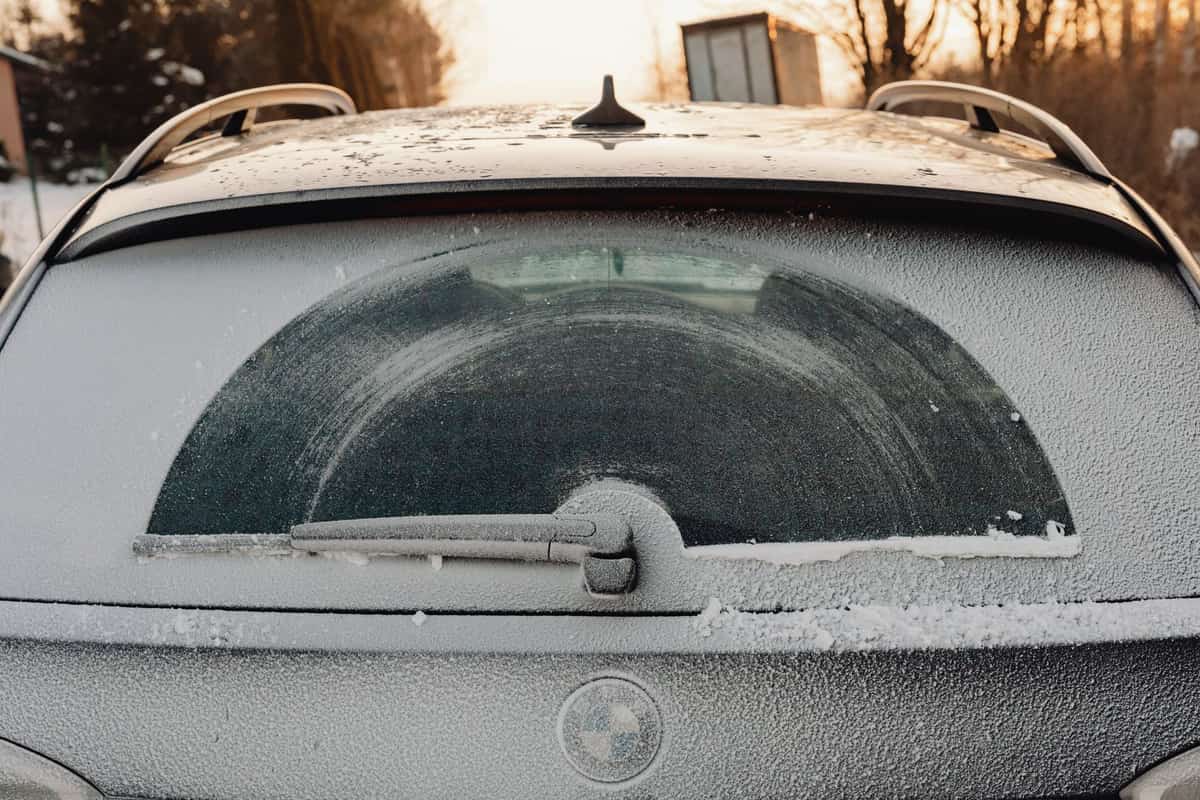
Dash cam pages talk about heat constantly and cold almost never, which is backwards for anyone north of about the fortieth parallel. A parked car in January reaches ambient, and ambient in Minneapolis, Buffalo or Calgary spends weeks below zero Fahrenheit.
Two things fail in that cold, and only one of them is the camera.
What actually goes wrong in the cold
- The power store. A lithium battery loses usable capacity as it gets colder and can refuse to charge below freezing. A supercapacitor holds far less energy but tolerates a far wider temperature band, and it only needs enough charge to close the video file cleanly when power cuts. This is the specification to check first, and every camera on this page publishes it.
- The boot. A camera that has been cold-soaked overnight has to start recording when you turn the key. If it is below the electronics' rated minimum, it may not start, and you will not notice until you need the footage.
- The screen and the lens. LCDs respond slowly in deep cold and glass fogs. Neither stops the recording, and neither is worth choosing a camera over.
- The memory card. Cards have their own temperature ratings and cheap bundled cards are the weakest link in any dash cam, in every season.
The published ranges, side by side
| Camera | Published range | Power storage | Cold-start floor |
|---|---|---|---|
| REXING V1P 4K Dual | -20°F to 176°F | Supercapacitor | Lowest published here |
| TQZNK 4K + 2.5K | -22°F to 158°F | Supercapacitor | Lowest published here |
| VANTRUE N4 3-channel | 14°F to 158°F | Super capacitor | Above freezing weather only, as published |
| REDTIGER F7NP | Not published | Supercapacitor | Unknown |
| GKU D600 Pro Max | Not published | Supercapacitor | Unknown |
Read the VANTRUE row carefully, because it is the one that changes a buying decision. 14°F is a perfectly normal January night across much of the northern United States. That does not mean the camera fails at 13°F — it means the maker has not warranted it below 14, and it is the only camera here that publishes a floor above zero.
Quick picks
| # | Product | Best for | Price |
|---|---|---|---|
| 1 | 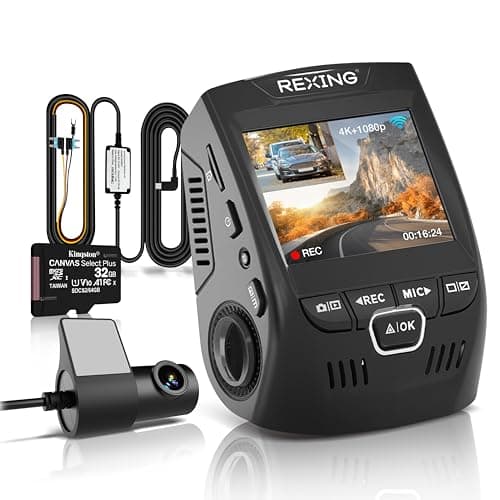 REXING V1P 4K Dual-Channel Dash Cam4K front, 1080p rear, 170°, and the only camera here that publishes what its supercapacitor tolerates: -20°F to 176°F. It also ships the hardwire kit parking mode actually needs. REXING V1P 4K Dual-Channel Dash Cam4K front, 1080p rear, 170°, and the only camera here that publishes what its supercapacitor tolerates: -20°F to 176°F. It also ships the hardwire kit parking mode actually needs. | A published temperature range, and the kit to use parking mode | $149.99 · View on Amazon #ad Price as of September 21, 2026. How we’re funded |
| 2 | 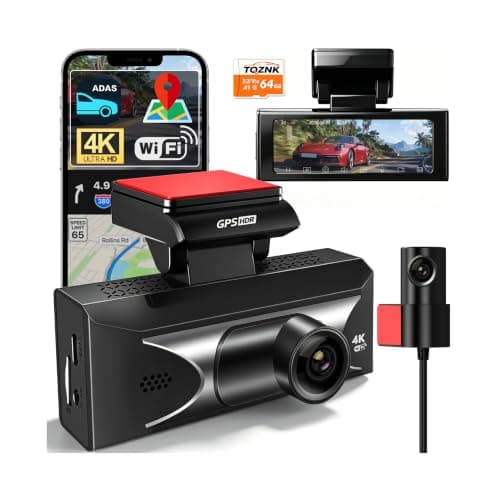 TQZNK 4K Front + 2.5K Rear Dash Cam with ADAS2.5K at the back rather than the usual 1080p, plus a supercapacitor rated from -22°F to 158°F — the widest published temperature range on this page. TQZNK 4K Front + 2.5K Rear Dash Cam with ADAS2.5K at the back rather than the usual 1080p, plus a supercapacitor rated from -22°F to 158°F — the widest published temperature range on this page. | The best rear resolution here | $109.98 · View on Amazon #ad Price as of September 21, 2026. How we’re funded |
| 3 | 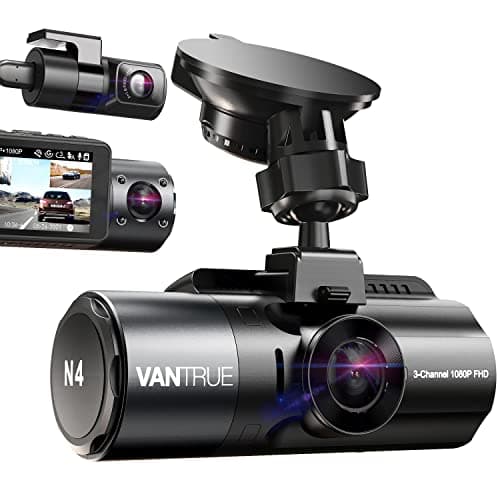 VANTRUE N4 3-Channel Dash Cam, Front + Inside + Rear165° on the inside camera is the widest interior figure published on this page, on a capacitor rather than a battery — but the listing that is currently in stock is a manufacturer-renewed unit, and you should buy it knowing that. VANTRUE N4 3-Channel Dash Cam, Front + Inside + Rear165° on the inside camera is the widest interior figure published on this page, on a capacitor rather than a battery — but the listing that is currently in stock is a manufacturer-renewed unit, and you should buy it knowing that. | The widest published interior field of view | $169.99 · View on Amazon #ad Price as of September 21, 2026. How we’re funded |
| 4 | 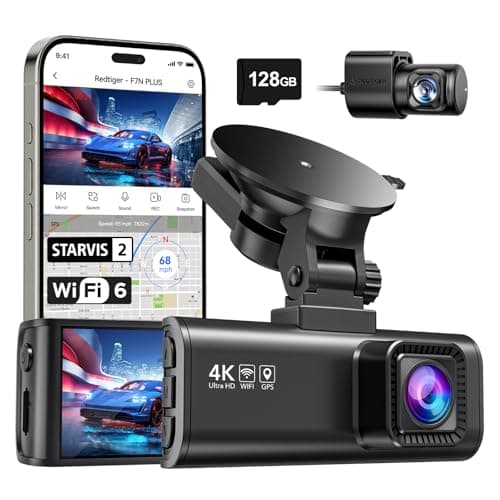 REDTIGER F7NP 4K Front + Rear Dash Cam, 24H Parking ModeThe only camera here whose listing states plainly that 24-hour parking mode needs a hardwire kit — which is true of all of them and admitted by almost none. REDTIGER F7NP 4K Front + Rear Dash Cam, 24H Parking ModeThe only camera here whose listing states plainly that 24-hour parking mode needs a hardwire kit — which is true of all of them and admitted by almost none. | Parking surveillance, done honestly | $149.98 · View on Amazon #ad Price as of September 21, 2026. How we’re funded |
| 5 | 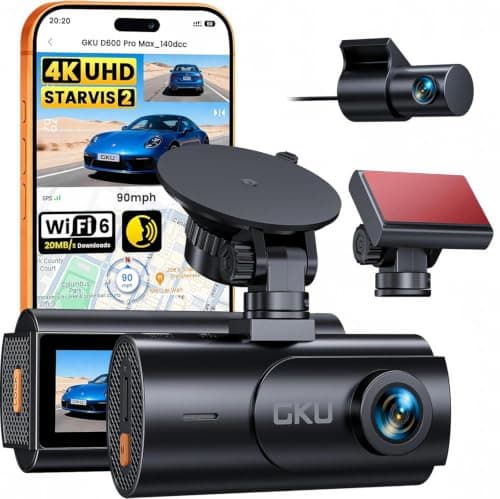 GKU D600 Pro Max 4K Dual Dash Cam, STARVIS 2The cheapest camera on this site that names its sensor rather than quoting megapixels — a Sony STARVIS 2, which is the part that decides whether a plate is readable at night. GKU D600 Pro Max 4K Dual Dash Cam, STARVIS 2The cheapest camera on this site that names its sensor rather than quoting megapixels — a Sony STARVIS 2, which is the part that decides whether a plate is readable at night. | A named sensor at the bottom of the price range | $84.99 · View on Amazon #ad Price as of September 21, 2026. How we’re funded |
#1 · A published temperature range, and the kit to use parking mode
REXING V1P 4K Dual-Channel Dash Cam
REXING
4K front, 1080p rear, 170°, and the only camera here that publishes what its supercapacitor tolerates: -20°F to 176°F. It also ships the hardwire kit parking mode actually needs.
170° is the sweet spot for a front camera. Wider captures more lanes and distorts plates at the edges; narrower misses the car that came in from the side.
A windshield in direct summer sun goes well past 140°F. A camera rated to 176°F has margin; one with no published rating is an unknown you are mounting to glass.
The hardwire kit in the box is worth more than it sounds. Every camera on this site advertises parking mode, and on all of them it needs constant power the car does not supply when it is off — which normally means a second purchase before the headline feature works at all.
What works
- Publishes an operating temperature range
- Hardwire kit and a 32 GB card included, so parking mode works out of the box
- Both parking modes: impact trigger and 24/7 time-lapse
- Long-standing model from an established brand
What does not
- 1080p rear
- No GPS on this model
- No published sensor model
- 256 GB card ceiling, lower than the newer cameras here
Skip this if
Skip it if the night-time rear plate is what you care about. 1080p at night is not a plate reader.
Where these numbers came from
We have not handled this product. Here is what we did instead.
#2 · The best rear resolution here
TQZNK 4K Front + 2.5K Rear Dash Cam with ADAS
TQZNK
2.5K at the back rather than the usual 1080p, plus a supercapacitor rated from -22°F to 158°F — the widest published temperature range on this page.
Rear resolution is where this category cuts corners, and the rear camera is the one that films the car that rear-ends you. 2.5K is a real upgrade over 1080p for reading a plate at night.
-22°F matters if you park outside in a northern winter. A camera that will not boot at -10°F is not recording your morning commute.
ADAS on a $100 dash cam is a lane-departure beep, not a driver aid. Treat it as noise you can switch off.
What works
- 2.5K rear
- Widest published temperature range here
- 5.8 GHz Wi-Fi and a 64 GB card included
What does not
- ADAS is marketing rather than a safety system
- Newer listing with less history
- 24H parking still assumes constant power
Skip this if
Skip it if you park in a garage in a mild climate — you are paying for cold-weather margin you will not use.
Where these numbers came from
We have not handled this product. Here is what we did instead.
#3 · The widest published interior field of view
VANTRUE N4 3-Channel Dash Cam, Front + Inside + Rear
VANTRUE
165° on the inside camera is the widest interior figure published on this page, on a capacitor rather than a battery — but the listing that is currently in stock is a manufacturer-renewed unit, and you should buy it knowing that.
Note the resolution line carefully, because it is the trade every three-channel camera makes and most listings blur it: you get 4K only when you run two channels. Switch the interior camera on and all three drop to 1440P and 1080P. That is not a defect, it is bandwidth — but you should know it before you buy.
165° on the interior camera is the widest inside figure published on this page, and inside a car that is what decides whether both rear passengers are actually in frame rather than just the one behind you.
The condition is the caveat, not a footnote. The N4 listing in stock at the time of writing is Vantrue's own renewed stock — inspected, tested and warranted for twelve months by the maker, and not a new unit. If you want this camera new, Vantrue's current new models are the N4S and N4 Pro S at roughly twice the money.
What works
- Publishes a field of view for all three channels
- Widest published interior field of view on this page
- Capacitor rather than a lithium battery, with a published 14°F to 158°F range
- IR night vision on the interior camera, which is the point of a rideshare camera
- Supports a 512 GB card, which three channels genuinely need
What does not
- The in-stock listing is renewed stock, not new
- 4K is only available in two-channel mode; three-channel drops to 1440P
- No card included, and the hardwire kit and GPS mount are both separate purchases
- Bulkier on the glass than a two-channel unit
Skip this if
Skip it if a renewed unit is not acceptable to you, or if you never carry passengers. The interior channel is the entire reason this costs what it does, and a two-channel camera gives you better front resolution for less.
Where these numbers came from
We have not handled this product. Here is what we did instead.
#4 · Parking surveillance, done honestly
REDTIGER F7NP 4K Front + Rear Dash Cam, 24H Parking Mode
REDTIGER
The only camera here whose listing states plainly that 24-hour parking mode needs a hardwire kit — which is true of all of them and admitted by almost none.
Every 24-hour parking claim in this category assumes constant power. Your cigarette lighter socket usually dies with the ignition, so the camera dies with it.
A hardwire kit taps a fuse that stays live and includes a low-voltage cutoff so the camera stops before it flattens your battery. Budget for the kit and, if you are not comfortable behind a fuse panel, for the fitting.
REDTIGER saying this in the product title is the single most honest line in this category, and it is why this camera is on the page.
What works
- States the hardwire requirement up front
- STARVIS 2 sensor
- 5.8 GHz Wi-Fi
- Card included
What does not
- The hardwire kit is an extra purchase and an extra job
- Rear resolution not stated as 4K
- Fuse-tap installation voids nothing but does require care
Skip this if
Skip it if you will not hardwire it. Without constant power you have bought a driving camera, and the cheaper models on this page do that too.
Where these numbers came from
We have not handled this product. Here is what we did instead.
#5 · A named sensor at the bottom of the price range
GKU D600 Pro Max 4K Dual Dash Cam, STARVIS 2
GKU
The cheapest camera on this site that names its sensor rather than quoting megapixels — a Sony STARVIS 2, which is the part that decides whether a plate is readable at night.
A named sensor is the one specification that predicts night performance, and at this price it is usually the first thing to disappear behind a megapixel number. STARVIS 2 is the current Sony low-light part and it is stated outright here.
Pre-recording is the parking feature worth understanding. An impact trigger starts recording once something has already hit you; pre-recording keeps a rolling buffer, so you get the thirty seconds before the hit as well as after it.
Read the HDR line carefully, because it is a trade the listing states and most buyers miss: HDR only runs with the front camera alone. Plug the rear camera in and you lose it.
What works
- Names a Sony STARVIS 2 sensor rather than publishing megapixels
- Three parking modes including a pre-event buffer
- 5.8 GHz Wi-Fi 6 at up to 20 MB/s, the fastest transfer figure on this page
- Supercapacitor and built-in GPS
What does not
- No memory card in the box on this version
- HDR is unavailable whenever the rear camera is connected, per the listing
- Parking mode needs a hardwire kit sold separately
- 1080p rear
Skip this if
Skip it if you want to unbox it and drive. There is no card in this version and no hardwire kit, so budget for both before the headline features work.
Where these numbers came from
We have not handled this product. Here is what we did instead.
Parking mode is where cold actually bites
Driving in the cold is the easy case: the engine is running, the cabin is warming and the camera is powered. The hard case is parking mode, where the camera sits at ambient for eight hours drawing from the car battery.
Two things compound there. The camera is at its coldest, and the car battery — which is also cold, and therefore weaker — is the thing keeping it alive. A hardwire kit with a low-voltage cutoff is not optional in winter; it is what stops a dash cam turning a cold morning into a jump start.
Our parking mode guide covers how the modes differ. The winter-specific advice is simpler: set the cutoff voltage higher than you would in summer, because a cold battery reads a healthier voltage than it can actually deliver.
| Spec | REXING | TQZNK | VANTRUE | REDTIGER | GKU |
|---|---|---|---|---|---|
| Front resolution | 3840 x 2160 (4K UHD) | 4K | Not published | 4K, 170° wide angle | 3840 x 2160 (4K UHD) |
| Rear resolution | 1080p | 2.5K | Not published | Not published | 1080P |
| Field of view | 170°, 6-layer glass lens | Not published | 155° front · 165° inside · 160° rear | Not published | 170° front · 150° rear |
| Power storage | Supercapacitor | Built-in supercapacitor | Super capacitor, 14°F to 158°F | Not published | Supercapacitor |
| Operating range | -20°F to 176°F | -22°F to 158°F | Not published | Not published | Not published |
| Connectivity | Wi-Fi, app | 5.8 GHz Wi-Fi, 20 MB/s, GPS | Not published | 5.8 GHz Wi-Fi, 20 MB/s download | 5.8 GHz Wi-Fi 6 and 2.4 GHz, up to 20 MB/s; built-in GPS |
| Parking | Vibration-triggered, or 24/7 time-lapse | Not published | Not published | Not published | Time-lapse, collision detection, and pre-recording 30–60 s around an event |
| In the box | 32 GB microSD card and smart hardwire kit | Not published | Not published | Not published | Not published |
| Card support | Up to 256 GB | Not published | Up to 512 GB | Not published | Up to 512 GB — no card in the box |
| Extras | Not published | ADAS, WDR night vision, 3" IPS, 24H parking mode | Not published | Not published | Not published |
| Card included | Not published | 64 GB | Not published | Yes | Not published |
| Channels | Not published | Not published | 3 — front, inside, rear | Not published | Not published |
| Resolution | Not published | Not published | 4K + 1080P dual, or 1440P + 1440P + 1080P in three-channel | Not published | Not published |
| Interior camera | Not published | Not published | IR night vision, 4 IR LEDs | Not published | Not published |
| Sensor | Not published | Not published | STARVIS CMOS, F1.4 six-glass front lens | Sony STARVIS 2 | Sony STARVIS 2 (front) |
| Parking mode | Not published | Not published | 24 hours — low-bitrate continuous, motion or collision | 24H (hardwire kit required, stated on the listing) | Not published |
| Condition | Not published | Not published | Manufacturer-renewed, 12-month warranty | Not published | Not published |
| Detection | Not published | Not published | Not published | G-sensor incident detection | Not published |
| Hardwire kit included | Not published | Not published | Not published | Not published | Not published |
What we could not tell you
Whether any of these actually boots at its published minimum. That needs a freezer, a stopwatch and several units, which is a test we have not run and will not pretend to have run. What we can do is show you which makers committed to a number and which left the row empty.
We also cannot tell you the lower limit for the two cameras that publish none. An unpublished figure is not a bad figure — it is an unknown, and on this page it is ranked as one.
Practical winter setup, whichever you buy
- Mount low on the windshield inside the wiper sweep and the defroster's airflow, not up in the corner where the glass stays frozen longest.
- Buy a high-endurance card rated for surveillance use. The bundled card is the cheapest part of the system and it is doing the hardest job, in the worst conditions.
- Leave the camera on the glass over winter rather than taking it in and out. Repeated warm-to-cold cycles are what drives condensation inside a housing.
- If you hardwire for parking mode, raise the low-voltage cutoff for the winter and check it in spring.
How we picked these
A published supercapacitor was the entry requirement, because a lithium battery on a winter windshield is the one thing worth ruling out outright. After that the ranking is simply who publishes a temperature range and how low it goes, then sensor and rear resolution as tie-breakers. Every figure is the maker's own and cited on the product card, and three of the five rows say not published because that is what the listings say. We have not tested any of these in the cold.
Sources
Everything on this page traces back to one of these. Where a figure could not be sourced, the page says so rather than filling the gap.
- RexingUSA V1P 4K Dual Dash Cam, supercapacitor rated -20°F to 176°F — retailer listing, Amazon.com
- TQZNK 4K front, 2.5K rear dash cam, supercapacitor rated -22°F to 158°F — retailer listing, Amazon.com
- VANTRUE N4 3 Channel Dash Cam (renewed), super capacitor rated 14°F to 158°F — retailer listing, Amazon.com