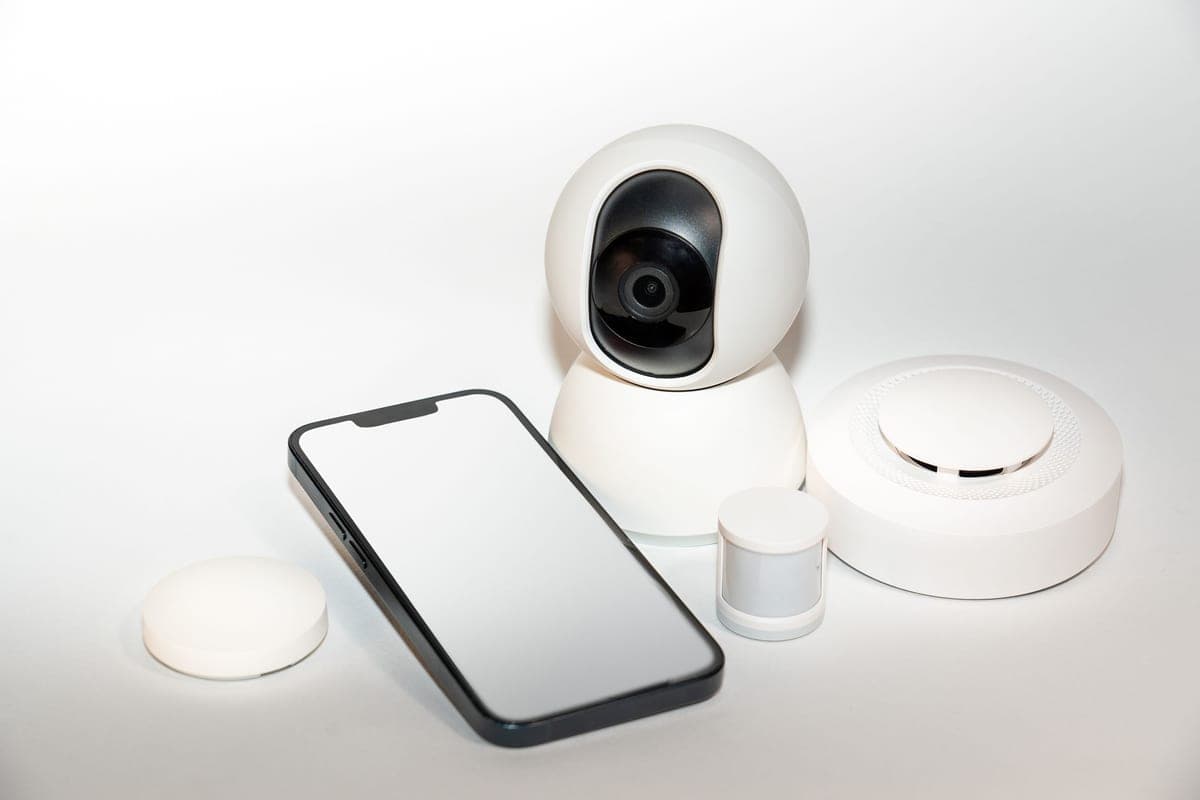
This is a search term with two possible meanings and the difference matters enough that we are going to spend the first section on it rather than jumping to picks.
What people mean by wireless, and what is actually sold
Meaning one: no power cable
The hopeful reading. A camera that sticks to the windshield and runs on its own battery, with no cable trailing down the A-pillar.
This is not a product you should buy, and the reason is arithmetic rather than technology. A dash cam records continuously while you drive, writing video the whole time. A battery big enough to do that for a full day would be large, and it would live on a windshield that reaches well past 140°F in summer — which is exactly the environment that makes lithium batteries swell and fail. That is why the entire serious end of this category moved to supercapacitors, which store only enough power to close the current file safely when the car cuts out.
A camera advertising battery operation is either recording for a very short window, or it means the second thing.
Meaning two: Wi-Fi
What the category actually sells, and what is genuinely worth paying for. The camera creates its own Wi-Fi network, your phone joins it, and an app pulls clips off the card without you removing the card or finding a laptop.
If you have ever tried to get footage off a dash cam at the roadside after an incident, you already know why this matters. The alternative is unmounting the camera, extracting a microSD card, and finding a reader.
Quick picks
| # | Product | Best for | Price |
|---|---|---|---|
| 1 | 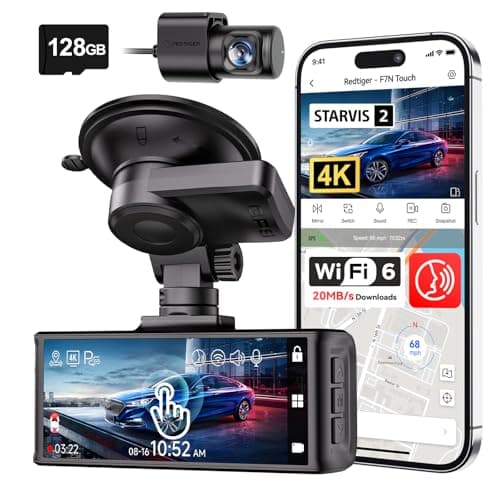 REDTIGER F7N Touch 4K Front + Rear Dash CamSTARVIS 2 sensor, 4K front, supercapacitor, GPS and a touch screen. On paper this is the most complete specification on this page. REDTIGER F7N Touch 4K Front + Rear Dash CamSTARVIS 2 sensor, 4K front, supercapacitor, GPS and a touch screen. On paper this is the most complete specification on this page. | The best-specified sensor here | $169.99 · View on Amazon #ad Price as of October 25, 2026. How we’re funded |
| 2 | 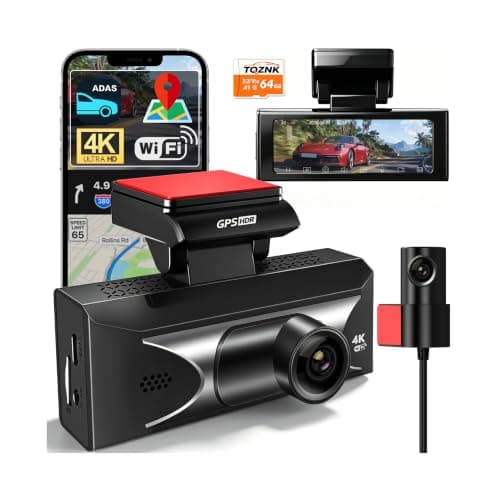 TQZNK 4K Front + 2.5K Rear Dash Cam with ADAS2.5K at the back rather than the usual 1080p, plus a supercapacitor rated from -22°F to 158°F — the widest published temperature range on this page. TQZNK 4K Front + 2.5K Rear Dash Cam with ADAS2.5K at the back rather than the usual 1080p, plus a supercapacitor rated from -22°F to 158°F — the widest published temperature range on this page. | The best rear resolution here | $89.97 · View on Amazon #ad Price as of October 25, 2026. How we’re funded |
| 3 | 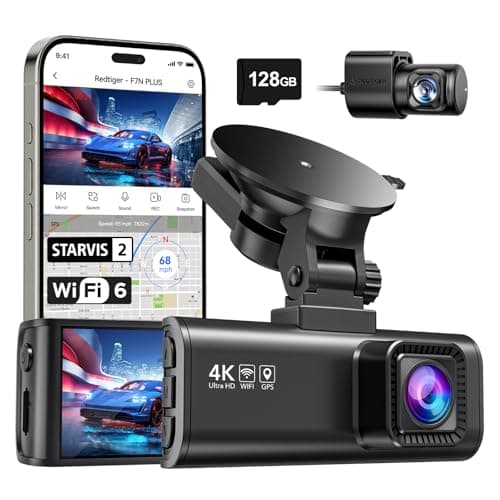 REDTIGER F7NP 4K Front + Rear Dash Cam, 24H Parking ModeThe only camera here whose listing states plainly that 24-hour parking mode needs a hardwire kit — which is true of all of them and admitted by almost none. REDTIGER F7NP 4K Front + Rear Dash Cam, 24H Parking ModeThe only camera here whose listing states plainly that 24-hour parking mode needs a hardwire kit — which is true of all of them and admitted by almost none. | Parking surveillance, done honestly | $149.98 · View on Amazon #ad Price as of October 25, 2026. How we’re funded |
| 4 | 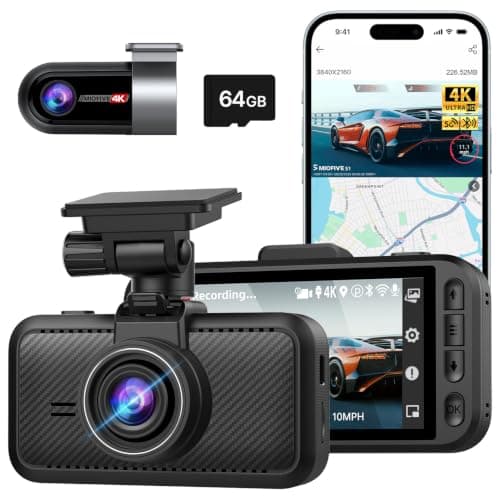 4K Front + 4K Rear Dual Dash Cam with 64GB CardThe only camera on this page that claims 4K at the rear as well as the front, with a supercapacitor and a 64 GB card in the box. 4K Front + 4K Rear Dual Dash Cam with 64GB CardThe only camera on this page that claims 4K at the rear as well as the front, with a supercapacitor and a 64 GB card in the box. | 4K at both ends | $134.99 · View on Amazon #ad Price as of October 25, 2026. How we’re funded |
| 5 | 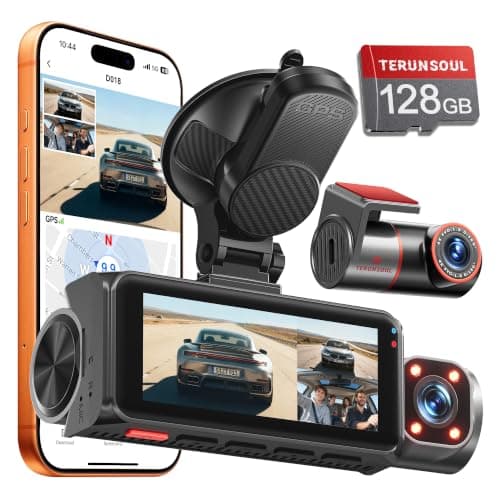 TERUNSOUl 4K + 4K + 1080P 3-Channel Dash Cam4K front AND 4K rear — the only camera here that does not cheapen the rear channel — with a field of view published for all three and a 128 GB card in the box. TERUNSOUl 4K + 4K + 1080P 3-Channel Dash Cam4K front AND 4K rear — the only camera here that does not cheapen the rear channel — with a field of view published for all three and a 128 GB card in the box. | The highest combined resolution across all three channels | $116.99 · View on Amazon #ad Price as of October 25, 2026. How we’re funded |
#1 · The best-specified sensor here
REDTIGER F7N Touch 4K Front + Rear Dash Cam
REDTIGER
STARVIS 2 sensor, 4K front, supercapacitor, GPS and a touch screen. On paper this is the most complete specification on this page.
STARVIS 2 is Sony's low-light sensor line and it is the specification that actually decides whether a night plate is readable. Resolution without sensor quality gives you a very sharp picture of nothing.
A supercapacitor instead of a lithium battery is the right choice for a device that lives on a windshield. Batteries swell and fail in summer heat; capacitors tolerate it.
Parking mode on a G-sensor trigger records on impact. It does not record the person who keyed your door and walked away — that needs a motion or time-lapse mode and, usually, a hardwire kit.
What works
- STARVIS 2 sensor, published
- Supercapacitor rather than a battery
- 5 GHz Wi-Fi transfers footage far faster than 2.4 GHz
- 128 GB card included
What does not
- Rear camera is 1080p, not 4K
- Parking mode is impact-triggered rather than continuous
- No published operating temperature range on this listing
Skip this if
Skip it if you want true 24-hour parking surveillance. That needs continuous power and a hardwire kit, and this is not sold as that.
Where these numbers came from
We have not handled this product. Here is what we did instead.
#2 · The best rear resolution here
TQZNK 4K Front + 2.5K Rear Dash Cam with ADAS
TQZNK
2.5K at the back rather than the usual 1080p, plus a supercapacitor rated from -22°F to 158°F — the widest published temperature range on this page.
Rear resolution is where this category cuts corners, and the rear camera is the one that films the car that rear-ends you. 2.5K is a real upgrade over 1080p for reading a plate at night.
-22°F matters if you park outside in a northern winter. A camera that will not boot at -10°F is not recording your morning commute.
ADAS on a $100 dash cam is a lane-departure beep, not a driver aid. Treat it as noise you can switch off.
What works
- 2.5K rear
- Widest published temperature range here
- 5.8 GHz Wi-Fi and a 64 GB card included
What does not
- ADAS is marketing rather than a safety system
- Newer listing with less history
- 24H parking still assumes constant power
Skip this if
Skip it if you park in a garage in a mild climate — you are paying for cold-weather margin you will not use.
Where these numbers came from
We have not handled this product. Here is what we did instead.
#3 · Parking surveillance, done honestly
REDTIGER F7NP 4K Front + Rear Dash Cam, 24H Parking Mode
REDTIGER
The only camera here whose listing states plainly that 24-hour parking mode needs a hardwire kit — which is true of all of them and admitted by almost none.
Every 24-hour parking claim in this category assumes constant power. Your cigarette lighter socket usually dies with the ignition, so the camera dies with it.
A hardwire kit taps a fuse that stays live and includes a low-voltage cutoff so the camera stops before it flattens your battery. Budget for the kit and, if you are not comfortable behind a fuse panel, for the fitting.
REDTIGER saying this in the product title is the single most honest line in this category, and it is why this camera is on the page.
What works
- States the hardwire requirement up front
- STARVIS 2 sensor
- 5.8 GHz Wi-Fi
- Card included
What does not
- The hardwire kit is an extra purchase and an extra job
- Rear resolution not stated as 4K
- Fuse-tap installation voids nothing but does require care
Skip this if
Skip it if you will not hardwire it. Without constant power you have bought a driving camera, and the cheaper models on this page do that too.
Where these numbers came from
We have not handled this product. Here is what we did instead.
#4 · 4K at both ends
4K Front + 4K Rear Dual Dash Cam with 64GB Card
Generic (dual 4K)
The only camera on this page that claims 4K at the rear as well as the front, with a supercapacitor and a 64 GB card in the box.
4K front and rear doubles your storage burn. A 64 GB card at dual 4K is a short loop — budget for a 256 GB high-endurance card on day one.
No named sensor. Resolution is easy to print on a box; sensor quality is what makes a night plate readable, and this listing does not tell you what is behind the lens.
What works
- 4K at both ends
- Supercapacitor
- Card, Bluetooth and GPS included
What does not
- No published sensor model
- Dual 4K fills a card fast
- Unbranded listing
Skip this if
Skip it if you will not buy a bigger card. At dual 4K the supplied 64 GB loops in well under two hours of driving.
Where these numbers came from
We have not handled this product. Here is what we did instead.
#5 · The highest combined resolution across all three channels
TERUNSOUl 4K + 4K + 1080P 3-Channel Dash Cam
TERUNSOUl
4K front AND 4K rear — the only camera here that does not cheapen the rear channel — with a field of view published for all three and a 128 GB card in the box.
Every other three-channel camera on this page drops the rear to 1080P. This one holds 4K on the rear as well as the front, which matters because the rear camera is the one pointed at the vehicle most likely to hit you.
Wi-Fi 6 on the 5.8 GHz band is the fastest transfer specification published here. On a three-channel camera generating three simultaneous files, that is not a luxury — pulling a clip off a slow camera at the roadside is genuinely painful.
What it does not publish is a power-storage type. Every other consideration on this page is answered on the listing; whether there is a capacitor or a lithium cell behind the glass is not, and on a windshield in August that is the thing you would most like to know.
What works
- 4K on the rear as well as the front — no channel drops below 1080P
- Publishes a field of view for all three channels
- Wi-Fi 6 at 5.8 GHz with a stated 20 MB/s, the fastest transfer spec on this page
- 128 GB card included and a 512 GB ceiling
- Built-in GPS writing speed and location into the footage
What does not
- No stated power-storage type — capacitor or battery is not published
- Cabin channel is 1080P while the other two are 4K
- Two 4K channels fill even a 128 GB card fast on a long shift
Skip this if
Skip it if a published capacitor matters more to you than resolution. This is the highest data rate on the page and the one camera here that will not tell you what stores its power.
Where these numbers came from
We have not handled this product. Here is what we did instead.
| Spec | REDTIGER | TQZNK | REDTIGER | Generic (dual 4K) | TERUNSOUl |
|---|---|---|---|---|---|
| Front resolution | 4K UHD, 170° wide angle | 4K | 4K, 170° wide angle | 4K | Not published |
| Rear resolution | 1080p FHD, 140° wide angle | 2.5K | Not published | 4K | Not published |
| Sensor | Sony STARVIS 2 | Not published | Sony STARVIS 2 | Not published | Not published |
| Power storage | Supercapacitor | Built-in supercapacitor | Not published | Supercapacitor | Not published |
| Connectivity | 5 GHz Wi-Fi, GPS | 5.8 GHz Wi-Fi, 20 MB/s, GPS | 5.8 GHz Wi-Fi, 20 MB/s download | 5 GHz Wi-Fi, Bluetooth, GPS | Dual-band Wi-Fi 6, 5.8 GHz + 2.4 GHz, up to 20 MB/s; built-in GPS |
| Parking mode | G-sensor triggered | Not published | 24H (hardwire kit required, stated on the listing) | Not published | 24 hours — time-lapse and collision detection |
| Card included | 128 GB | 64 GB | Yes | 64 GB | 128 GB, supports up to 512 GB |
| Operating range | Not published | -22°F to 158°F | Not published | Not published | Not published |
| Extras | Not published | ADAS, WDR night vision, 3" IPS, 24H parking mode | Not published | Not published | Not published |
| Detection | Not published | Not published | G-sensor incident detection | Not published | Not published |
| Hardwire kit included | Not published | Not published | Not published | Not published | Not published |
| Display | Not published | Not published | Not published | 3.0" IPS | 3.18" full-laminated |
| Channels | Not published | Not published | Not published | Not published | 3 — front, rear, cabin |
| Resolution | Not published | Not published | Not published | Not published | 4K front · 4K rear · 1080P cabin |
| Field of view | Not published | Not published | Not published | Not published | 170° front · 150° rear · 150° cabin |
| Interior camera | Not published | Not published | Not published | Not published | 4 IR lights |
What Wi-Fi does not do
- It is not cloud backup. The camera's Wi-Fi is a direct link between camera and phone, not an internet connection — the footage is not going anywhere until you pull it.
- It does not work while you are connected to it. Joining the camera's network usually means your phone drops off cellular data for the duration.
- It does not remove the need for a cable. The camera still needs power, and parking mode still needs a hardwire kit tapping a fuse that stays live.
- It does not make the card optional. Wi-Fi is a retrieval method, not storage.
What about cellular dash cams?
There is a genuine third category: cameras with a 4G LTE modem that upload to a cloud service and let you view the car remotely. Those are real and they are the only thing that is meaningfully wireless in the sense of not needing you present.
They also carry a subscription and they are a different purchase from anything on this page. We do not currently cover them in enough depth to rank them, and we would rather say that than list one we cannot describe honestly.
How to actually use the Wi-Fi when it counts
- Install the camera's app and pair it the day the camera arrives, not the day you need footage. Pairing at the roadside, on someone else's schedule, is miserable.
- Learn where the file-lock button is. Locking the clip stops the loop overwriting it and is faster than transferring at the scene.
- Pull the clip before you drive home. Loop recording does not care that the file mattered.
- Do not edit, trim or crop what you pull. Published guidance on dashcam evidence is consistent that authenticity is one of the three things footage has to satisfy, and an edited clip invites exactly the challenge you were avoiding.
How we picked these
Published Wi-Fi band first, then stated transfer rate where a maker gives one, then the rest of the camera. Every figure comes from the maker's own listing and is cited on the card. We have not measured a transfer speed and are not going to imply we have.
Sources
Everything on this page traces back to one of these. Where a figure could not be sourced, the page says so rather than filling the gap.
- REDTIGER F7NP 4K dash cam, 5.8GHz Wi-Fi with 20MB/s stated download — retailer listing, Amazon.com
- TQZNK 4K dash cam, 5.8GHz Wi-Fi 20MB/s, supercapacitor rated -22°F to 158°F — retailer listing, Amazon.com
- Zetronix — dash cam evidence and legal admissibility: relevance, reliability, authenticity (checked 2026-09-07)