This is a purchase people talk themselves into and out of repeatedly, usually on the wrong grounds. Here is a straight cost-benefit.
Where it clearly pays
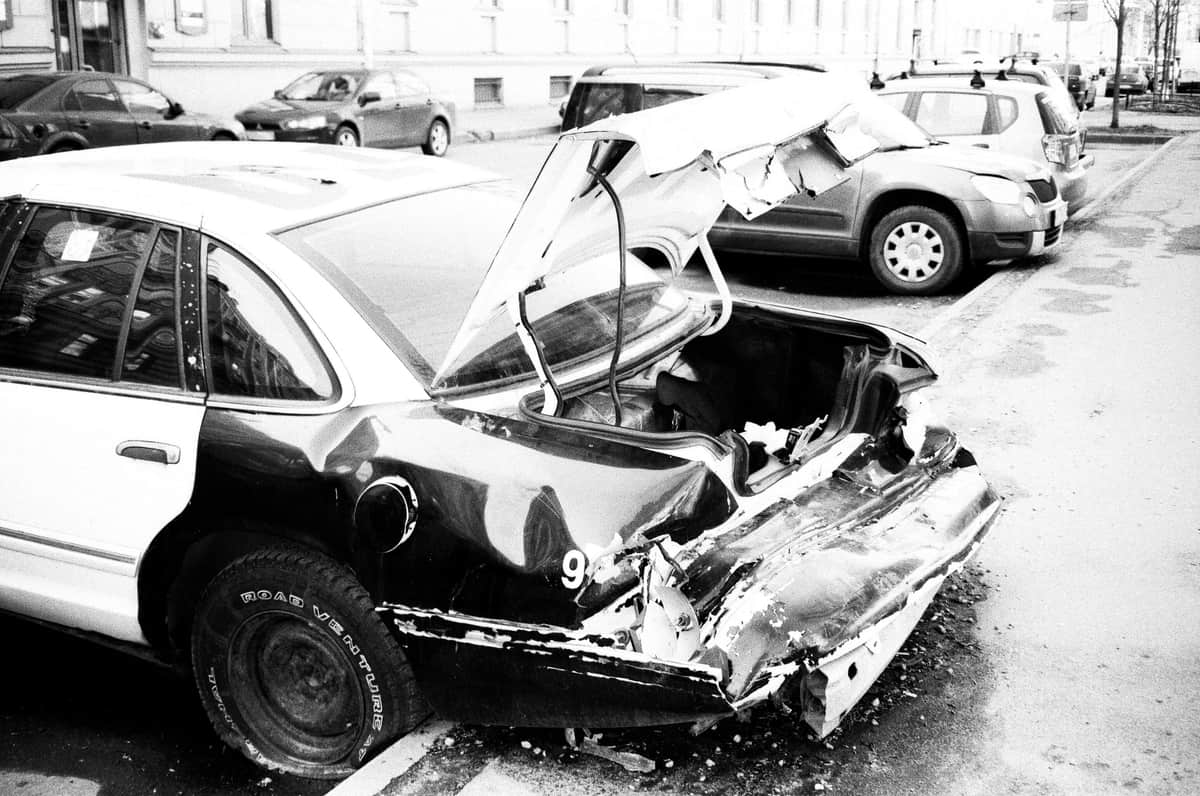
- Disputed fault. Two drivers with opposite accounts and no witnesses is where insurance defaults to a split or a lengthy investigation. Footage resolves it.
- Being rear-ended. The most common at-fault scenario a private driver encounters, and one where a rear camera is the whole point of a two-channel system.
- Hit-and-run while parked. This is the scenario people forget, and it is the one that needs parking mode plus constant power — not just a camera.
- Fraudulent claims. Staged collisions and inflated injury claims are the reason commercial fleets fit these as standard.
Where it is oversold
What the footage has to satisfy
Published guidance from legal practitioners on dashcam evidence describes three requirements before footage is usable in court: relevance, reliability and authenticity. The footage has to bear on the facts of the accident; it has to be unaltered, with the timestamp, camera function and chain of custody open to scrutiny; and someone has to be able to attest that it is genuine and unedited.
The practical consequence is the same source's preservation advice: save the recording immediately after an incident so the loop does not overwrite it, and do not edit, trim or crop it. An edited clip invites exactly the authenticity challenge you were trying to avoid.
Quick picks
| # | Product | Best for | Price |
|---|---|---|---|
| 1 | 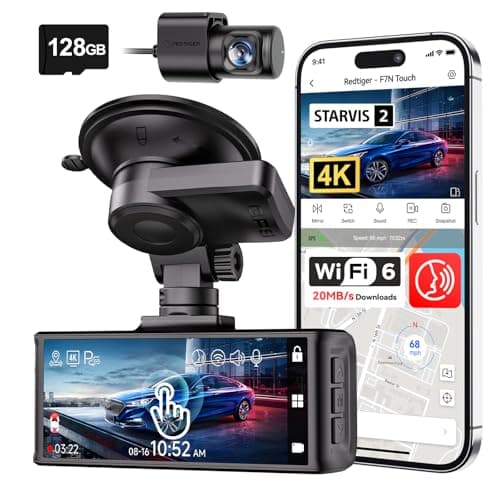 REDTIGER F7N Touch 4K Front + Rear Dash CamSTARVIS 2 sensor, 4K front, supercapacitor, GPS and a touch screen. On paper this is the most complete specification on this page. REDTIGER F7N Touch 4K Front + Rear Dash CamSTARVIS 2 sensor, 4K front, supercapacitor, GPS and a touch screen. On paper this is the most complete specification on this page. | The best-specified sensor here | $169.99 · View on Amazon #ad Price as of October 25, 2026. How we’re funded |
| 2 | 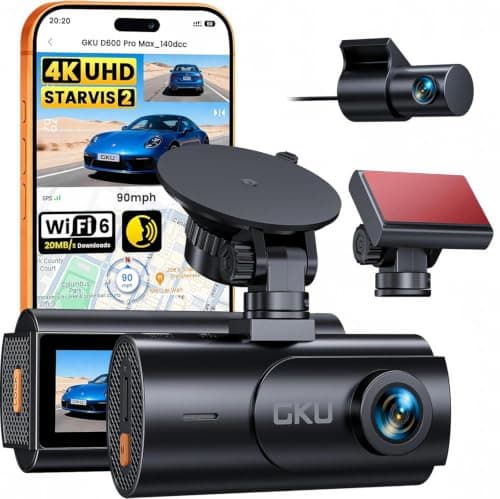 GKU D600 Pro Max 4K Dual Dash Cam, STARVIS 2The cheapest camera on this site that names its sensor rather than quoting megapixels — a Sony STARVIS 2, which is the part that decides whether a plate is readable at night. GKU D600 Pro Max 4K Dual Dash Cam, STARVIS 2The cheapest camera on this site that names its sensor rather than quoting megapixels — a Sony STARVIS 2, which is the part that decides whether a plate is readable at night. | A named sensor at the bottom of the price range | $79.99 · View on Amazon #ad Price as of October 25, 2026. How we’re funded |
| 3 | 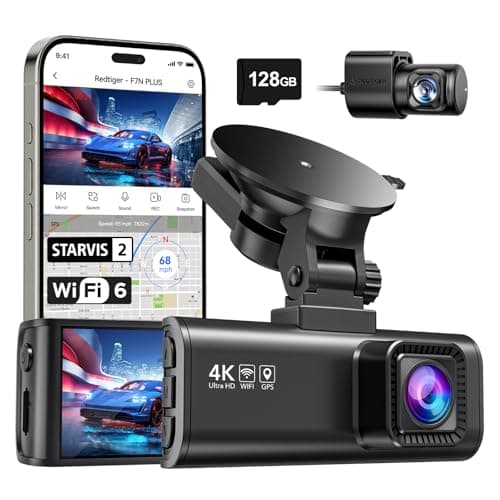 REDTIGER F7NP 4K Front + Rear Dash Cam, 24H Parking ModeThe only camera here whose listing states plainly that 24-hour parking mode needs a hardwire kit — which is true of all of them and admitted by almost none. REDTIGER F7NP 4K Front + Rear Dash Cam, 24H Parking ModeThe only camera here whose listing states plainly that 24-hour parking mode needs a hardwire kit — which is true of all of them and admitted by almost none. | Parking surveillance, done honestly | $149.98 · View on Amazon #ad Price as of October 25, 2026. How we’re funded |
| 4 | 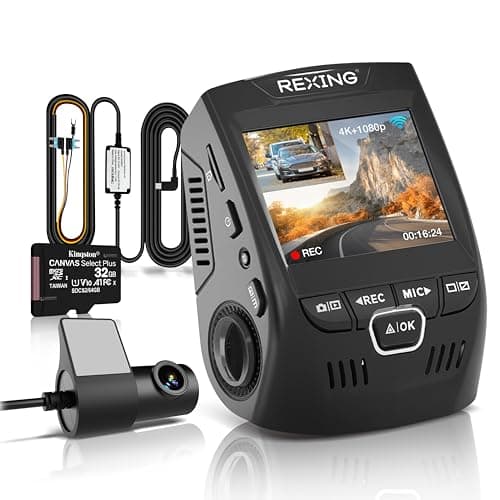 REXING V1P 4K Dual-Channel Dash Cam4K front, 1080p rear, 170°, and the only camera here that publishes what its supercapacitor tolerates: -20°F to 176°F. It also ships the hardwire kit parking mode actually needs. REXING V1P 4K Dual-Channel Dash Cam4K front, 1080p rear, 170°, and the only camera here that publishes what its supercapacitor tolerates: -20°F to 176°F. It also ships the hardwire kit parking mode actually needs. | A published temperature range, and the kit to use parking mode | $149.99 · View on Amazon #ad Price as of October 25, 2026. How we’re funded |
#1 · The best-specified sensor here
REDTIGER F7N Touch 4K Front + Rear Dash Cam
REDTIGER
STARVIS 2 sensor, 4K front, supercapacitor, GPS and a touch screen. On paper this is the most complete specification on this page.
STARVIS 2 is Sony's low-light sensor line and it is the specification that actually decides whether a night plate is readable. Resolution without sensor quality gives you a very sharp picture of nothing.
A supercapacitor instead of a lithium battery is the right choice for a device that lives on a windshield. Batteries swell and fail in summer heat; capacitors tolerate it.
Parking mode on a G-sensor trigger records on impact. It does not record the person who keyed your door and walked away — that needs a motion or time-lapse mode and, usually, a hardwire kit.
What works
- STARVIS 2 sensor, published
- Supercapacitor rather than a battery
- 5 GHz Wi-Fi transfers footage far faster than 2.4 GHz
- 128 GB card included
What does not
- Rear camera is 1080p, not 4K
- Parking mode is impact-triggered rather than continuous
- No published operating temperature range on this listing
Skip this if
Skip it if you want true 24-hour parking surveillance. That needs continuous power and a hardwire kit, and this is not sold as that.
Where these numbers came from
We have not handled this product. Here is what we did instead.
#2 · A named sensor at the bottom of the price range
GKU D600 Pro Max 4K Dual Dash Cam, STARVIS 2
GKU
The cheapest camera on this site that names its sensor rather than quoting megapixels — a Sony STARVIS 2, which is the part that decides whether a plate is readable at night.
A named sensor is the one specification that predicts night performance, and at this price it is usually the first thing to disappear behind a megapixel number. STARVIS 2 is the current Sony low-light part and it is stated outright here.
Pre-recording is the parking feature worth understanding. An impact trigger starts recording once something has already hit you; pre-recording keeps a rolling buffer, so you get the thirty seconds before the hit as well as after it.
Read the HDR line carefully, because it is a trade the listing states and most buyers miss: HDR only runs with the front camera alone. Plug the rear camera in and you lose it.
What works
- Names a Sony STARVIS 2 sensor rather than publishing megapixels
- Three parking modes including a pre-event buffer
- 5.8 GHz Wi-Fi 6 at up to 20 MB/s, the fastest transfer figure on this page
- Supercapacitor and built-in GPS
What does not
- No memory card in the box on this version
- HDR is unavailable whenever the rear camera is connected, per the listing
- Parking mode needs a hardwire kit sold separately
- 1080p rear
Skip this if
Skip it if you want to unbox it and drive. There is no card in this version and no hardwire kit, so budget for both before the headline features work.
Where these numbers came from
We have not handled this product. Here is what we did instead.
#3 · Parking surveillance, done honestly
REDTIGER F7NP 4K Front + Rear Dash Cam, 24H Parking Mode
REDTIGER
The only camera here whose listing states plainly that 24-hour parking mode needs a hardwire kit — which is true of all of them and admitted by almost none.
Every 24-hour parking claim in this category assumes constant power. Your cigarette lighter socket usually dies with the ignition, so the camera dies with it.
A hardwire kit taps a fuse that stays live and includes a low-voltage cutoff so the camera stops before it flattens your battery. Budget for the kit and, if you are not comfortable behind a fuse panel, for the fitting.
REDTIGER saying this in the product title is the single most honest line in this category, and it is why this camera is on the page.
What works
- States the hardwire requirement up front
- STARVIS 2 sensor
- 5.8 GHz Wi-Fi
- Card included
What does not
- The hardwire kit is an extra purchase and an extra job
- Rear resolution not stated as 4K
- Fuse-tap installation voids nothing but does require care
Skip this if
Skip it if you will not hardwire it. Without constant power you have bought a driving camera, and the cheaper models on this page do that too.
Where these numbers came from
We have not handled this product. Here is what we did instead.
#4 · A published temperature range, and the kit to use parking mode
REXING V1P 4K Dual-Channel Dash Cam
REXING
4K front, 1080p rear, 170°, and the only camera here that publishes what its supercapacitor tolerates: -20°F to 176°F. It also ships the hardwire kit parking mode actually needs.
170° is the sweet spot for a front camera. Wider captures more lanes and distorts plates at the edges; narrower misses the car that came in from the side.
A windshield in direct summer sun goes well past 140°F. A camera rated to 176°F has margin; one with no published rating is an unknown you are mounting to glass.
The hardwire kit in the box is worth more than it sounds. Every camera on this site advertises parking mode, and on all of them it needs constant power the car does not supply when it is off — which normally means a second purchase before the headline feature works at all.
What works
- Publishes an operating temperature range
- Hardwire kit and a 32 GB card included, so parking mode works out of the box
- Both parking modes: impact trigger and 24/7 time-lapse
- Long-standing model from an established brand
What does not
- 1080p rear
- No GPS on this model
- No published sensor model
- 256 GB card ceiling, lower than the newer cameras here
Skip this if
Skip it if the night-time rear plate is what you care about. 1080p at night is not a plate reader.
Where these numbers came from
We have not handled this product. Here is what we did instead.
The hidden costs to weigh
| Item | Why it is needed |
|---|---|
| A high-endurance memory card | Continuous rewriting kills standard cards, often silently |
| A hardwire kit, for parking mode | Published at $20–$50; the socket dies with the ignition |
| Installation, if you are not doing it | Published typical hardwired install $80–$130 |
| Occasional attention | Cards fail; check the camera is actually recording |
The failure mode nobody plans for
The camera that has not been recording for a month. Memory cards in dash cams fail from continuous rewriting, and many cameras handle that failure quietly — the screen looks normal and nothing is being written. A dash cam you never check is a dash cam that might not have footage on the one day it matters. Check it monthly.
Who should probably not bother
Someone who drives very little, parks in a garage, and would not pursue a disputed claim anyway. The value here is concentrated in scenarios that are rare per driver, so if your exposure to those scenarios is genuinely low, this is a reasonable thing to skip.
What we cannot tell you
Whether it will pay for itself, because that depends on an incident that may not happen. Anyone giving you a payback period for a dash cam is making up a probability.
Sources
Everything on this page traces back to one of these. Where a figure could not be sourced, the page says so rather than filling the gap.